How AI Is Transforming Project Management for Modern Teams
Project management has always been about turning intention into finished work, plans into shipped outcomes. What changed in 2026 is who does the connective labor in between. For decades the status chasing, the note taking, and the constant re-planning fell on people. Artificial intelligence is now absorbing a growing share of it, and the teams that understand where AI genuinely helps, and where it doesn't, are pulling ahead of the ones still doing it all by hand.
Key takeaways
- AI project management spans a spectrum, from assistive features that draft and suggest to agentic AI that completes multi-step work inside your permissions.
- The biggest early wins are administrative, automated planning, instant task creation, status reporting, and meeting summaries reclaim hours every week.
- Agentic AI is the real shift, moving from tools that answer questions to systems that take action on your live project data.
- Adopt one workflow at a time, keep a human in the loop, and choose AI that works on connected data rather than a disconnected chatbot.
What AI project management actually means in 2026
AI project management is the use of artificial intelligence to help plan, run, and track work. That definition sounds simple, but the phrase now covers two very different things, and confusing them is why some teams feel underwhelmed while others feel transformed.
The first is assistive AI. This is the layer most people met first: you ask, it drafts. It writes a project brief, suggests a task breakdown, rewrites a status update, or summarizes a long thread. It is genuinely useful, but it is passive. The AI produces text and hands it back to you; you still do the clicking, the assigning, and the updating.
The second is agentic AI. Here the model does not just describe the work, it performs steps of it. Given a goal and the right permissions, an agent can create tasks, set due dates, move an item across a board, draft an email to a client, or pull a number out of an attached contract, then chain those actions toward an outcome. The shift from assistive to agentic is the single most important thing happening in project management software right now, because it moves AI from a writing aid to an actual member of the workflow.
Crucially, neither kind of AI is worth much if it is cut off from your real data. A brilliant model that cannot see your tasks, deadlines, and conversations can only give you generic advice. The value shows up when AI operates on the specifics of your project, which is why the platform matters as much as the model.
The old way vs. the AI-assisted way
To see the change concretely, walk through an ordinary Monday for a project lead. It is a useful before-and-after because none of these tasks are glamorous, and all of them quietly consume the week.
The old way. You open five tabs. You skim yesterday's messages to reconstruct what moved. You ping three people for status because their boards are stale. You copy updates into a report for your manager, translating raw task states into a narrative. You realize a dependency slipped, so you manually reshuffle four downstream dates. You write a client email from scratch. By the time the real work starts, an hour is gone, and you have not made a single decision that required your expertise.
The AI-assisted way. You open one workspace. A summary already tells you what changed since yesterday, who is blocked, and which items are trending late. The status report is drafted from the actual task data, so you edit rather than assemble. When a date slips, the system proposes the downstream shifts and you approve them. The client email arrives as a first draft with the right context pulled in. The hour becomes ten minutes, and your attention goes to the two judgment calls that actually needed you.
Nothing in that second scenario is science fiction, and none of it removes the human. It removes the transcription tax, the invisible cost of moving information between people and tools by hand.
7 ways AI is transforming project management
The transformation is not one big feature; it is a series of specific jobs that AI now does faster and more consistently than manual effort. Here are the seven with the clearest payoff.
1. Automated planning and roadmaps
Describe an outcome in plain language, a launch, an onboarding, a quarterly initiative, and AI can propose a structured plan: phases, milestones, task lists, rough sequencing, and owners. It will not be perfect, and it should not be treated as final. But starting from a solid draft instead of a blank canvas is the difference between an afternoon of planning and twenty minutes of editing. You still make the calls; you just make them faster.
2. Instant task creation
Some of the biggest friction in any tool is the gap between deciding to do something and it existing as a tracked task. AI closes that gap. From a meeting note, a message, or a single sentence, it can generate tasks with titles, descriptions, assignees, and due dates already filled in. Work stops slipping through the cracks because capturing it no longer costs anything.
3. Smart status and progress reporting
Status reporting is the most reliably hated part of project management, and it is pure overhead. AI reads the live state of your work and writes the update: what shipped, what is at risk, what needs a decision. Because it reads from real task data rather than someone's memory, the report is both faster to produce and harder to fudge.
4. Meeting notes and summaries
Meetings generate decisions and action items that too often evaporate the moment the call ends. AI can transcribe, summarize the key points, and extract action items into tasks automatically, so the outcomes of a conversation land in the workspace instead of a notebook. When your meetings and notes live in the same system as your tasks, the follow-ups assign themselves.
5. Risk detection and prioritization
Humans are bad at noticing slow drift. A task that is two days late looks fine; ten of them across a project is a problem no one flagged. AI is good at exactly this pattern-spotting: it surfaces items trending late, dependencies at risk, and overloaded people before the issue becomes a fire. It can also help prioritize, ranking what matters most against deadlines and impact so attention goes to the right place.
6. Drafting communication and outreach
A large share of project work is writing: client updates, stakeholder emails, kickoff briefs, follow-ups. AI drafts these with the relevant context already pulled in, so you refine tone and detail instead of starting cold. The same capability extends into sales, where a connected sales CRM lets AI draft outreach informed by the actual deal history rather than a generic template.
7. Extracting data from documents
Requirements, contracts, briefs, and spreadsheets are full of information that normally has to be re-typed into your project tool by hand. AI reads those documents and extracts the structured pieces, dates, deliverables, amounts, requirements, and turns them into tasks or fields. It converts static files into live, trackable work.
Agentic AI: from suggestions to action
Every capability above becomes dramatically more powerful when the AI can act, not just advise. This is the leap from assistive to agentic, and it deserves its own section because it changes what you should expect from a project tool.
A chatbot answers a question and returns text; you still do the work it describes. An agent operates on your real project data and completes steps within defined permissions. Ask it to prepare next week's sprint and it can create the tasks, assign them, set the dates, and draft the kickoff message, then stop and wait for your approval. The unit of value shifts from a good paragraph to a finished chunk of work.
The real change is not that AI can talk about your project. It is that AI can move your project, one permitted action at a time, while you stay the one who decides.
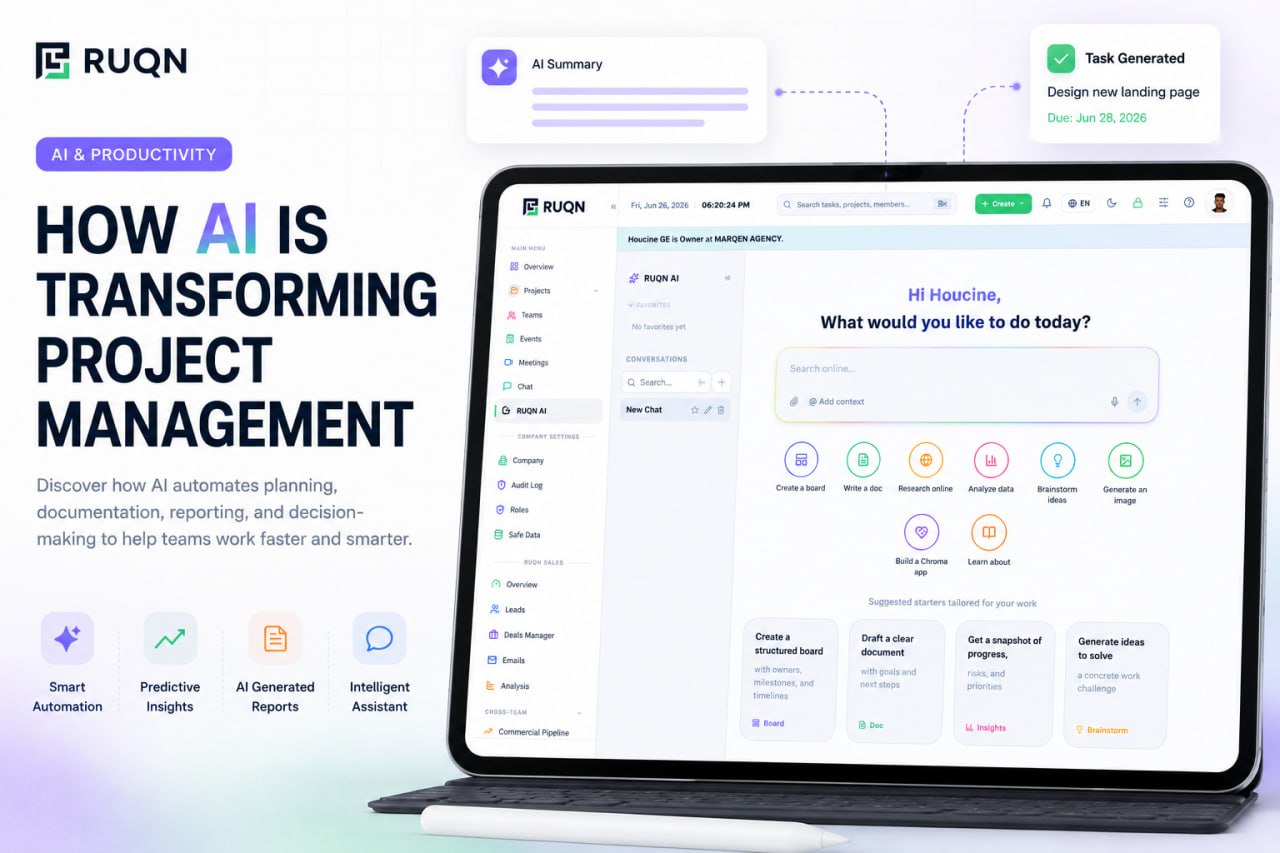
Permissions are the whole game here. Agentic AI is only trustworthy when it acts inside the same access controls as the rest of the workspace, when every action is opt-in and visible, and when a human can review or reverse what it did. Done right, agency is not a loss of control; it is delegation with a clear audit trail. Done carelessly, it is a liability. The difference is entirely in the design. You can see how an opt-in, permission-aware approach works in practice with RUQN AI.
How to adopt AI in your project workflow
The teams that get the most from AI do not flip a switch and change everything overnight. They roll it in deliberately. This framework keeps the adoption grounded and low-risk.
- Pick one high-friction, low-risk workflow. Meeting summaries and status reporting are ideal first candidates: they hurt every week, and a mistake costs a quick edit, not a broken deliverable.
- Keep a human in the loop. For the first stretch, treat every AI output as a draft to be reviewed. Trust is earned, not assumed, and reviewing early builds the judgment to loosen the reins later.
- Measure the time saved. Track how long the task took before and after. Concrete numbers turn a vague "AI is nice" into a case for expanding it.
- Expand one workflow at a time. Once summaries are reliable, add task creation, then reporting, then drafting. Sequential adoption keeps the team confident and the failures small.
- Turn on agentic actions gradually. Start with AI that suggests, graduate to AI that acts with approval, and only then to actions it can take on its own. Set permissions tightly and widen them as trust grows.
- Prefer connected data over a bolt-on bot. AI that lives inside your project data will always beat a separate chatbot you copy and paste into. Choose the platform accordingly.
What AI won't replace
It is worth being honest about the limits, both because it is true and because overselling AI is the fastest way to lose a team's trust. AI replaces the repetitive parts of project management, not the judgment behind them.
- Stakeholder trust and relationships. The confidence a client places in a person, and the reading of a room, are human work. No model builds that for you.
- Prioritization under real ambiguity. AI can rank against known criteria, but the hard calls, which fire to fight when everything is on fire, depend on context no system fully sees.
- Negotiation and difficult conversations. Scope changes, missed deadlines, and tense trade-offs are handled by people who can weigh consequences and read intent.
- Accountability. An agent can take an action, but a person owns the outcome. Responsibility does not delegate to software.
The healthiest way to frame it: AI handles the administration of the project so people can do the leadership of it. That framing keeps expectations honest and adoption durable.
Where RUQN fits: AI that acts on real project data
Most AI project management stumbles on one problem, the AI is a separate assistant that cannot see your actual work. RUQN is built the other way around. It brings project management, a sales CRM, team collaboration, meetings, and a planning canvas into one connected workspace, and the AI lives inside all of it. Because the data is already together, the AI can create and update tasks, summarize a project, draft outreach from real deal context, and extract information from your files, without you stitching anything together first.
It is also opt-in by design. Agentic actions happen within your permissions and stay visible, so you get delegation with a clear trail rather than a black box making changes you cannot see. There is nothing to integrate and nothing to migrate later, because the work, the conversation, and the AI already share one system from day one. You can start free, with no time limit, and turn on the AI capabilities at whatever pace your team trusts them.
Frequently asked questions
What is AI project management?
AI project management is the use of artificial intelligence to help plan, run, and track work. Instead of only storing tasks, the software actively contributes: it drafts project plans, creates and updates tasks from a short description, summarizes progress, flags risks, and answers questions about your work. Modern AI project management ranges from assistive features that suggest and draft, to agentic AI that can carry out multi-step actions inside your workspace within the permissions you set.
Will AI replace project managers?
No. AI replaces the repetitive parts of the job, status roundups, note-taking, first-draft plans, and data entry, not the judgment behind it. Project managers still own stakeholder trust, prioritization under ambiguity, negotiation, and the human context that no model can see. In practice AI removes the busywork so managers spend more time leading people and less time updating spreadsheets.
How does agentic AI differ from a chatbot?
A chatbot answers questions and returns text; you still do the work it describes. Agentic AI can take action: it can create tasks, update statuses, draft communication, or pull data from a document, then chain those steps toward a goal. The difference is agency, an agent operates on your real project data and completes work within defined permissions, rather than just talking about it.
How do I start using AI in project management?
Start small and specific. Pick one high-friction, low-risk workflow, such as meeting summaries or status reporting, and let AI handle it for two weeks. Keep a human reviewing the output, measure the time saved, then expand to the next workflow. Choose a platform where AI works on your actual project data rather than a disconnected chatbot, and turn on agentic actions gradually as trust builds.
Is AI project management secure?
It can be, if the AI respects the same permissions as the rest of your workspace. The key questions are whether the AI only accesses data the user is already allowed to see, whether agentic actions are opt-in and logged, and whether your data is used to train external models. A well-designed platform keeps AI inside your existing access controls, so it never becomes a backdoor around them.