CRM Software for Small Businesses: Everything You Need to Know
For a small business, the difference between a good month and a scramble often comes down to one thing: whether you remembered to follow up. A CRM, short for customer relationship management, exists to make sure you always do. It gives your team a single, organized home for every contact, lead, and deal, so nothing slips and everyone can see where the money is. This guide explains what a CRM actually is, whether your business needs one yet, the features that matter for a small team, and how to choose one that grows with you instead of boxing you in.
Key takeaways
- A CRM is a shared memory for customer relationships that shows exactly where every deal stands.
- Small teams feel the pain first, slipped follow-ups, double outreach, and revenue you can only guess at.
- Focus on the features that matter, pipeline, follow-up tracking, reporting, automation, and AI, not a 300-item checklist.
- Pick a CRM that connects to the work, a closed deal should become delivery with no re-keying.
What is a CRM, in plain terms
A CRM is a system that keeps every detail about your customers and prospects in one organized place. Instead of a name buried in an inbox, a phone number on a sticky note, and a deal value living in someone's head, a CRM holds all of it together and tied to the person it belongs to. When a customer calls, anyone on your team can pull up the full story in seconds: who they are, what they've bought, what you last discussed, and what happens next.
The category can feel intimidating from the outside, but a handful of ideas do almost all of the work. Once these click, the rest of the software makes sense:
- Contact, a person you deal with, with their name, email, phone, role, and the full history of every interaction you've had.
- Company (or account), the organization a contact belongs to, so you can see everyone you know at the same business in one view.
- Lead, a potential customer who has shown some interest but hasn't been qualified yet, someone at the top of the funnel.
- Deal (or opportunity), a specific sale you're working toward, with a value, an expected close date, and a stage.
- Pipeline, the visual sequence of stages a deal moves through, from first contact to closed-won, so you always know where every opportunity stands.
That's the whole model. A CRM is simply a structured memory for your customer relationships, plus a way to see the money moving through your business before it lands. Everything else a CRM does, automation, reporting, AI, is built on top of those five ideas.
Do small businesses actually need a CRM?
For a while, honestly, no. When you have five customers and two open deals, your head and a shared spreadsheet are enough. The real question is never "should every business have a CRM?" It's "have I outgrown the tools I'm using right now?" The answer is usually yes the moment you notice a few of these signs:
- Follow-ups slip through the cracks. A prospect asks you to check back in three weeks, and it never happens because there was nowhere to record the reminder.
- You can't answer "how's the pipeline?" quickly. Getting a straight number means opening four apps and doing the math in your head.
- Two people contact the same lead. Someone emails a prospect a colleague already spoke to yesterday, and it looks disorganized to the customer.
- Knowledge walks out the door. When someone leaves, their customer relationships leave with them because everything lived in their personal inbox.
- You're guessing at revenue. You're estimating next month's income instead of reading it off a pipeline.
This isn't only a sales-team problem. A busy service business juggling quotes, bookings, and repeat clients feels it just as sharply as a dedicated sales team working a long pipeline. If two or three of those signs sound familiar, a spreadsheet is already costing you deals, you just can't see the ones you're losing.
A CRM doesn't win you more leads. It stops you from quietly losing the ones you already have.
What a CRM does for a small business
The value of a CRM is easy to underestimate until you've felt the specific pains it removes. Here's what a small business actually gets in return for the setup effort.
- One source of truth for customers. Every email, call, note, and deal for a contact lives in one record. No more reconstructing a relationship from scattered threads before an important call.
- Pipeline visibility. A visual board shows every open deal by stage, so you can see at a glance what's close, what's stalled, and where to spend your time this week.
- Follow-ups that don't slip. Tasks and reminders are attached to the deal itself, so the next step is never a memory you have to hold, it's a prompt that finds you.
- Forecasting you can trust. When deal values and close dates live in one place, next quarter stops being a guess and becomes a number you can plan around.
- Better retention. The relationship doesn't end at the sale. A CRM tracks renewals, check-ins, and history so existing customers, your cheapest source of revenue, don't feel forgotten.
None of these are dramatic on any single day. The payoff compounds: a follow-up that lands, a deal that doesn't stall, a customer who renews because you reached out at the right moment. Over a year, that's the difference between growing and treading water.
The features that matter for small teams
CRM feature lists are long enough to be useless. For a small business, most of that list is noise. Here are the capabilities that genuinely earn their place, and what to look for in each.
Contact and company management
This is the foundation. You want clean records that link people to their companies, capture custom fields that match your business, and keep a complete, automatic timeline of interactions. If adding or finding a contact feels like a chore, no one will keep it up to date, and a CRM nobody updates is worse than a spreadsheet.
A visual sales pipeline
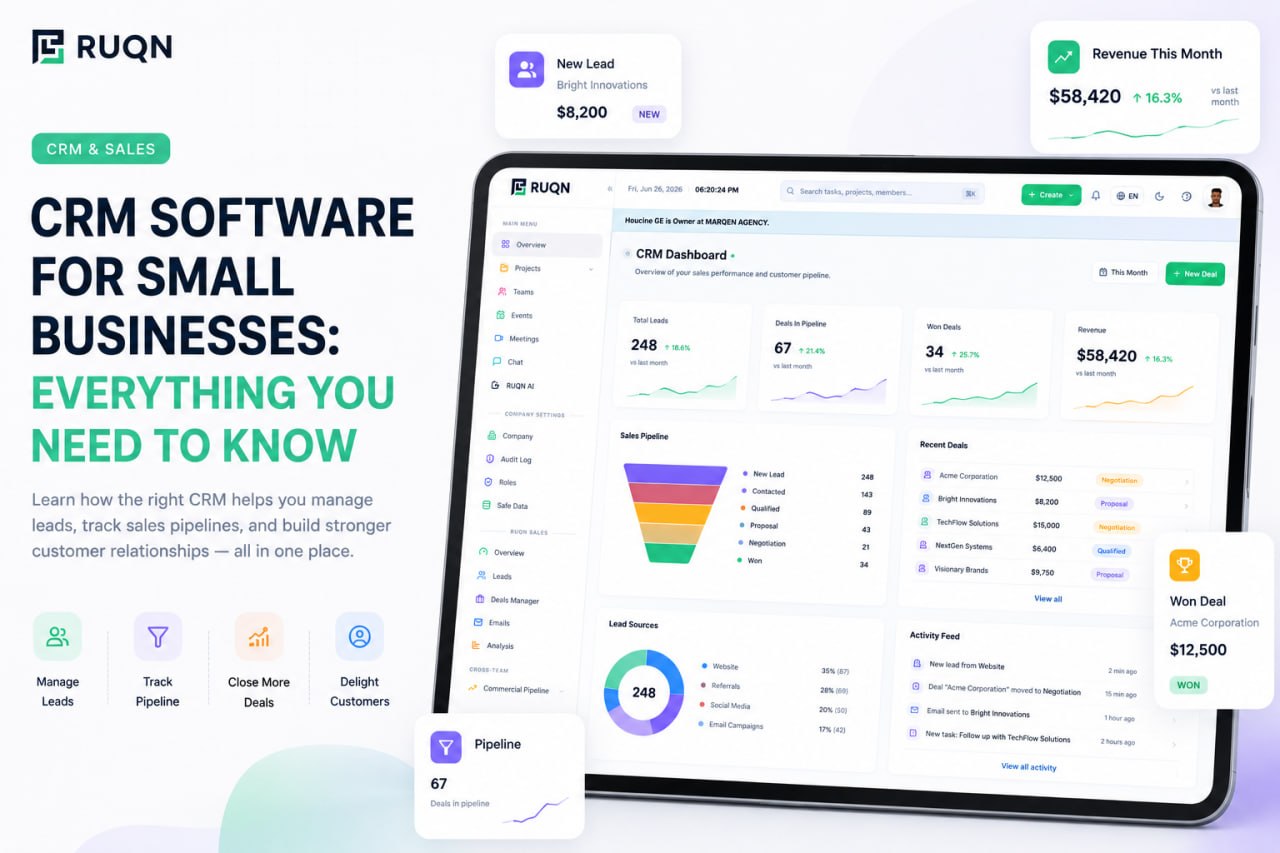
Deals should live on a board you can read in five seconds, with stages you define and cards you drag as things move forward. A visual pipeline turns an abstract "how are sales going?" into a picture anyone on the team can understand instantly. This is the single feature small businesses come to rely on most.
Activity and follow-up tracking
The best CRM habit is simple: never leave a deal without a next step. Look for the ability to attach tasks, calls, and reminders directly to a contact or deal, so the system tells you who to follow up with today instead of leaving it to willpower and memory.
Dashboards and reporting
You should be able to answer key questions without building anything: How many deals are in each stage? What's my win rate? Which source produces the best customers? Live dashboards that read straight from your data, rather than a report someone assembles by hand, turn scattered activity into decisions.
Automation
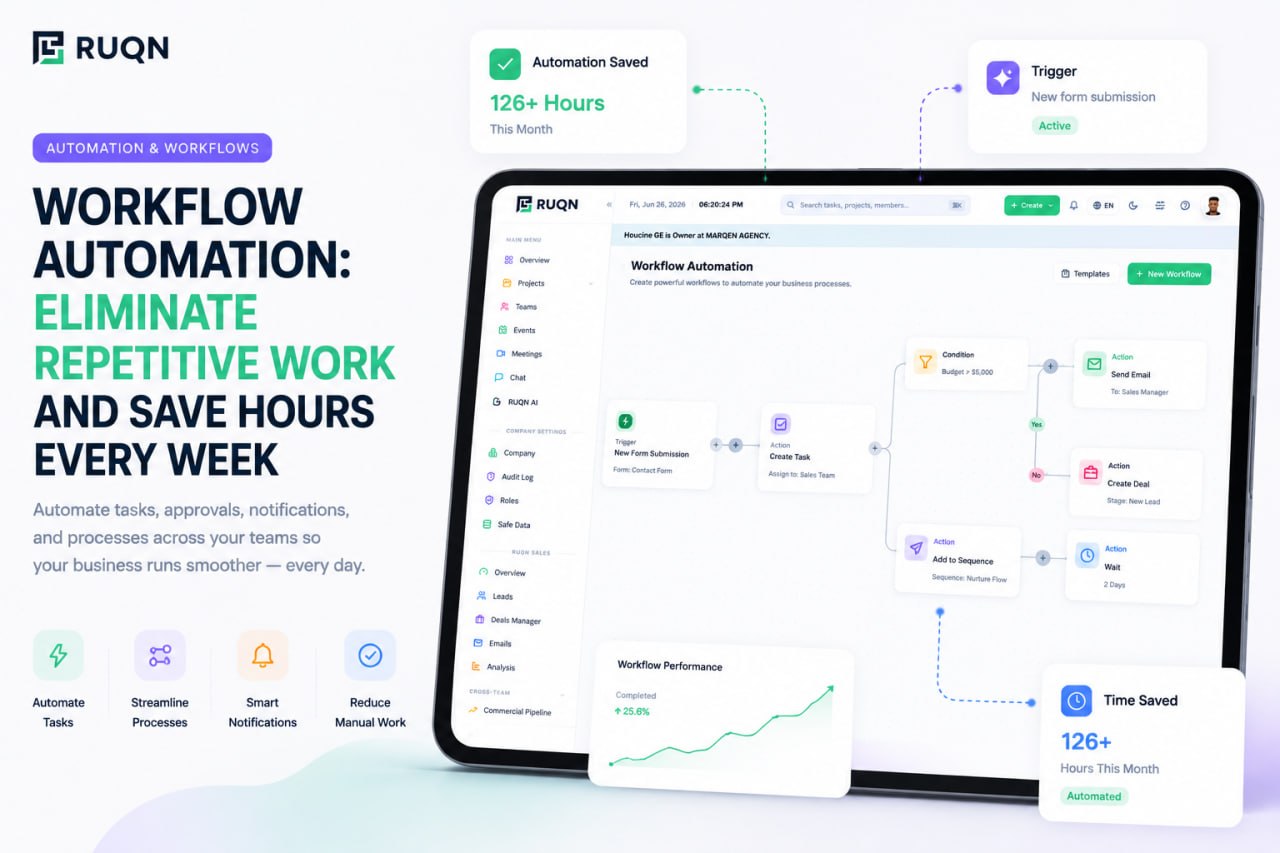
Small teams have no spare hours for busywork. Good automation handles the repetitive glue: assigning new leads, moving a deal when a stage changes, sending an internal reminder, logging an activity. It quietly removes the manual steps that otherwise eat an afternoon a week.
AI assistance
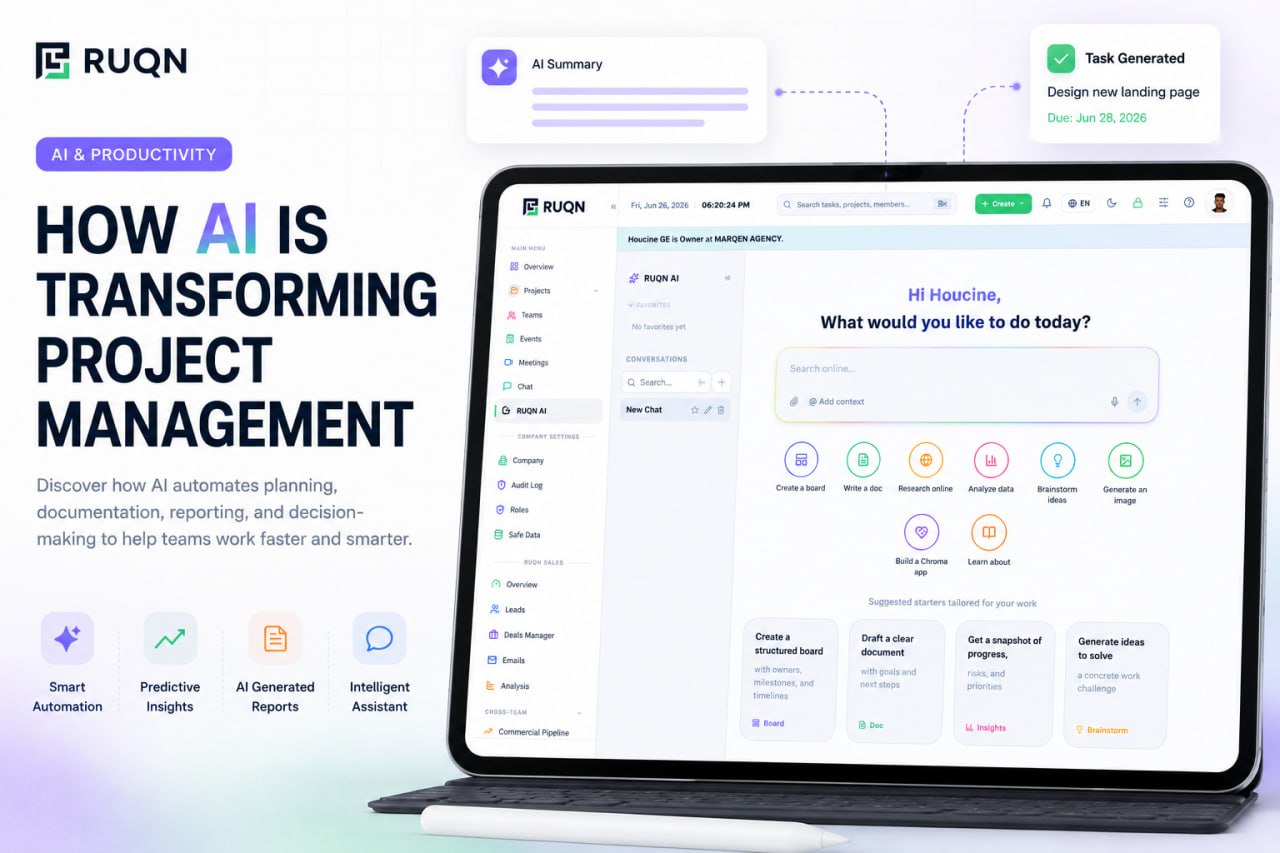
AI has moved from novelty to genuinely useful inside a CRM, when it works on your real data. The valuable kind can draft a follow-up email, summarize a long deal history, suggest the next best action, or flag a deal that's gone quiet. See how RUQN AI works this way inside a live workspace, acting only within your permissions and only when you ask.
Connection to the actual work
This is the feature small businesses forget to check, and regret later. A sale is a beginning, not an end. When your CRM connects to the place where projects and delivery happen, a won deal flows straight into the work with its context intact. If your CRM is an island, someone re-types every closed deal into a separate project management tool, and details get lost in the handoff.
CRM vs. spreadsheet vs. all-in-one platform
Most small businesses run their customers one of three ways. It's worth being honest about which one you're on, and what the next step actually buys you.
- A spreadsheet is free, familiar, and fine at the very beginning. But it's a static grid: it doesn't remember your history, remind you of anything, or stop two people from editing the same row into a mess. It lists contacts; it can't manage a relationship.
- A standalone CRM fixes all of that with pipelines, reminders, and reporting built for customer relationships. The catch is that it's usually one more app in a stack, disconnected from where your team chats, plans, and delivers the work.
- An all-in-one platform puts the CRM in the same workspace as projects, collaboration, and AI. You get the full power of a real CRM without the disconnect, because the deal, the delivery, and the conversation about it all live in one system.
For a small team, the disconnect matters more than it seems. Every extra tool is another subscription, another login, and another place your data can go stale while someone copies it somewhere else.
How to choose a CRM for your small business
Don't start from a feature comparison, that's how teams end up paying for capabilities they never touch. Start from your business. This framework keeps the decision grounded in what you actually do.
- Map your real sales process. Write down the exact stages a customer moves through, from first contact to closed. Your CRM has to match this, not force you into someone else's template.
- Count what it replaces. List the tools you pay for today. A strong candidate should consolidate a few of them, not become the tenth login your team has to remember.
- Judge how fast your team can adopt it. If it needs a week of training, most people will quietly drift back to the spreadsheet. Favor a CRM that feels obvious on day one.
- Check that it scales. Choosing for today's team size means a painful migration in a year. Pick something that stretches from a two-person shop to a growing team without a rebuild.
- Confirm it connects to your work. Ask what happens the moment a deal is won. The best answer is that it becomes a project automatically, in the same platform, with nothing re-typed.
- Start free and pilot on real deals. Run your actual pipeline through it for two weeks before committing. A free plan with no time limit lets you prove the value on live data instead of a demo.
Common CRM mistakes small businesses make
A CRM only works if it's used. Most failures aren't about the software, they're about a handful of avoidable missteps.
- Buying for features you'll never use. A long feature list isn't a good fit. Complexity you don't need is a tax on every person who has to learn the tool.
- Letting the data go stale. A CRM nobody updates becomes fiction fast. Keep entry effortless, lean on automation, and make it a shared habit, not one person's chore.
- Treating it as a sales-only silo. When the CRM is walled off from delivery and support, the customer's experience fractures at every handoff. The relationship should stay whole after the sale.
- Ignoring the cost of tool sprawl. Five cheap apps that don't talk to each other cost more, in money and lost hours, than one platform that does.
- Choosing a tool you'll outgrow. Optimizing for this month's needs guarantees another migration soon. Pick for where you're heading, not only where you are.
A CRM that lives where the work happens
Most of this guide is deliberately vendor-neutral, because the right CRM depends on your business. But there's one gap worth calling out, because it's the one small businesses feel most and shop for least: the wall between winning a deal and actually delivering it.
This is the problem RUQN was built to close. Its sales CRM lives in the same connected workspace as your projects, team chat, meetings, planning, and agentic AI. So the moment a deal is marked won, it can become a delivery project with every note and detail intact, no re-keying, no lost context, no second app to reconcile. The pipeline, the work, and the conversation about it already know about each other from day one.
If you're comparing options, our RUQN vs HubSpot breakdown shows how an all-in-one approach stacks up against a dedicated CRM suite. And because there's a genuinely free plan with no time limit, you can start free, run your real pipeline through it, and scale up only once the value is obvious.
Frequently asked questions
What is a CRM?
A CRM, or customer relationship management system, is software that keeps every detail about your customers and prospects in one organized place: contacts, companies, leads, deals, and the full history of your interactions. Instead of scattering that information across inboxes, spreadsheets, and people's memories, a CRM ties it all to the person it belongs to and shows you where every opportunity stands.
Does a small business really need a CRM?
Not on day one, but sooner than most owners expect. The moment follow-ups start slipping, two people email the same lead, or you can't answer how the pipeline is doing without opening four apps, you have outgrown spreadsheets. A CRM pays for itself the first time it saves a deal that would otherwise have fallen through the cracks.
How much does CRM software cost for a small business?
It ranges from free to roughly 15 to 50 dollars per user per month for most small-business plans, with the price rising as you add automation, reporting, and seats. Many good options, including RUQN, offer a genuinely free plan with no time limit, so a small team can run its pipeline without paying anything until the value is obvious.
What's the difference between a CRM and a spreadsheet?
A spreadsheet is a static grid you update by hand; a CRM is a living system built around customers. It tracks interaction history automatically, reminds you about follow-ups, shows deals as a visual pipeline, reports on your numbers in real time, and lets a whole team work from the same records without overwriting each other. A spreadsheet can list contacts, but it cannot manage a relationship.
Can a CRM connect to my projects and delivery?
In most setups the CRM and the project tool are separate apps, so a closed deal has to be re-typed into wherever the work actually happens. All-in-one platforms like RUQN solve this by putting the CRM, projects, chat, and AI in one workspace, so a won deal becomes a delivery project with all of its context intact and nothing to re-key.